
· Proton · 1 min read
Invite Friends for Free Pro
You can invite friends and family around you to use PathMemo. When a friend registers and tries it out through your invitation, both of you will receive Pro membership rewards.
How to invite:
- Go to “Personal Center” → “My Invitations”
- Tap “Forward to Friends” to send a mini-program card, or tap “Share to Moments” to generate a QR code image — save it and share to your Moments
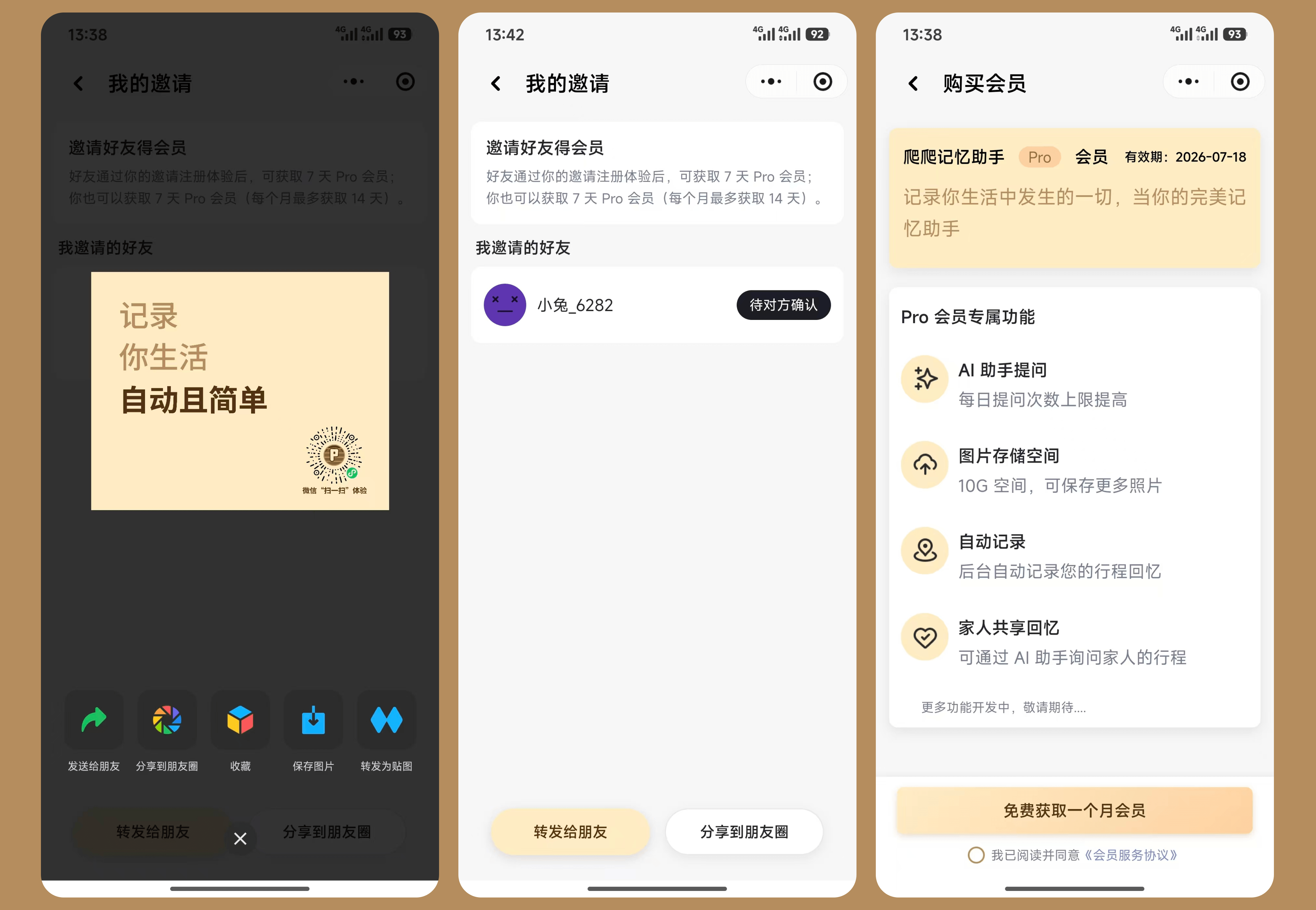
Invitation reward rules:
- When a friend registers through your invitation, they immediately receive 7 days of Pro membership
- As the inviter, you also receive 7 days of Pro membership for each successful invitation
- You can earn up to 14 days of Pro membership per month through invitations (valid permanently)
View invitation history: On the “My Invitations” page, you can see the list of friends you’ve invited. Contact customer service if you have any issues.