
Save Work Memory
You can save your office activities (such as daily work consultations, PPT/document creation) as “work memories”. The system will automatically manage them alongside your life diary, and the AI assistant can provide more personalized responses based on this information.
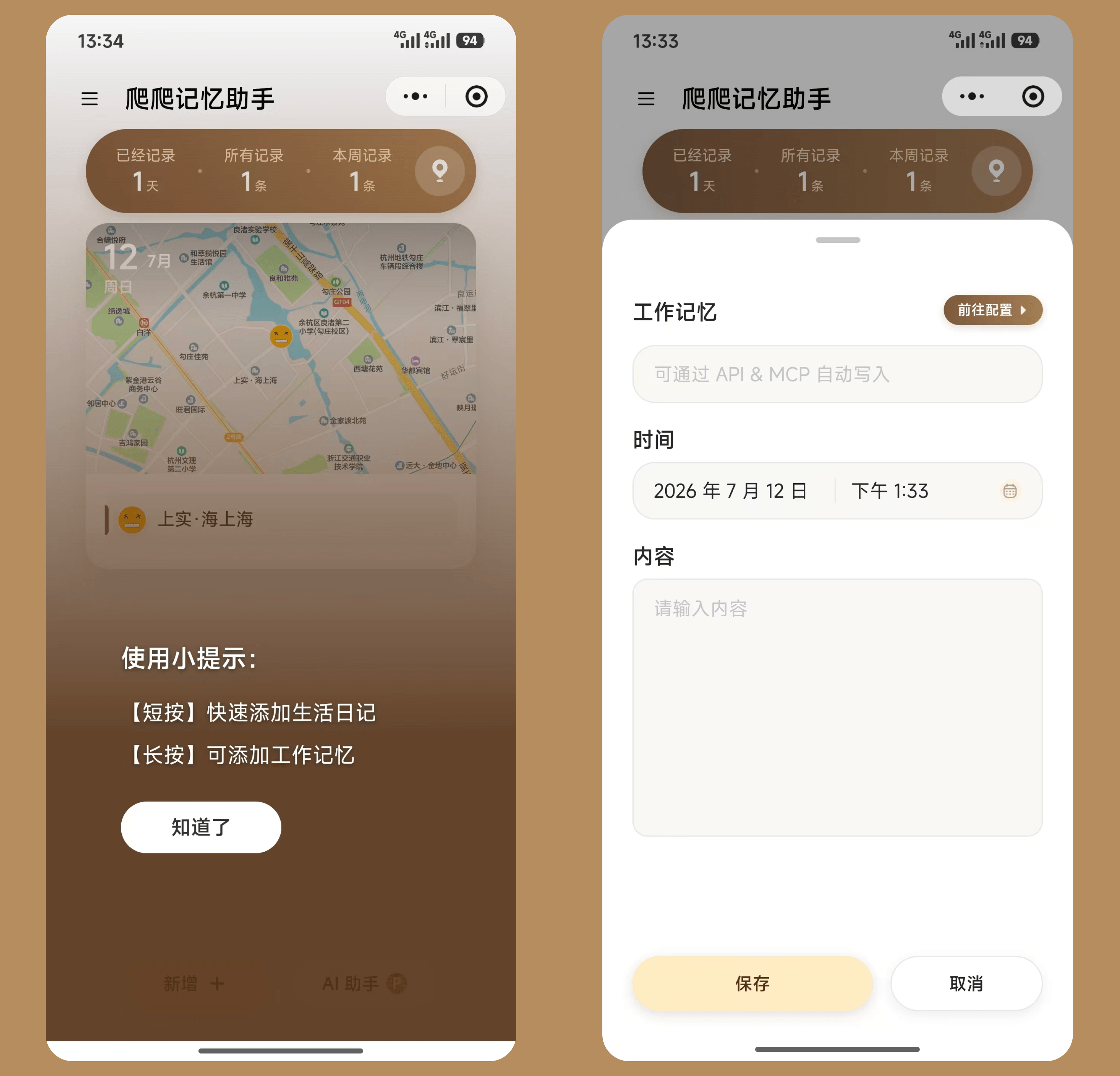
In the mini-program, you can create work memories as follows:
- Long-press the “Add” button (hold for more than 1 second)
- Enter your work memory in the popup window
- Tap “Save” and the memory will be saved successfully
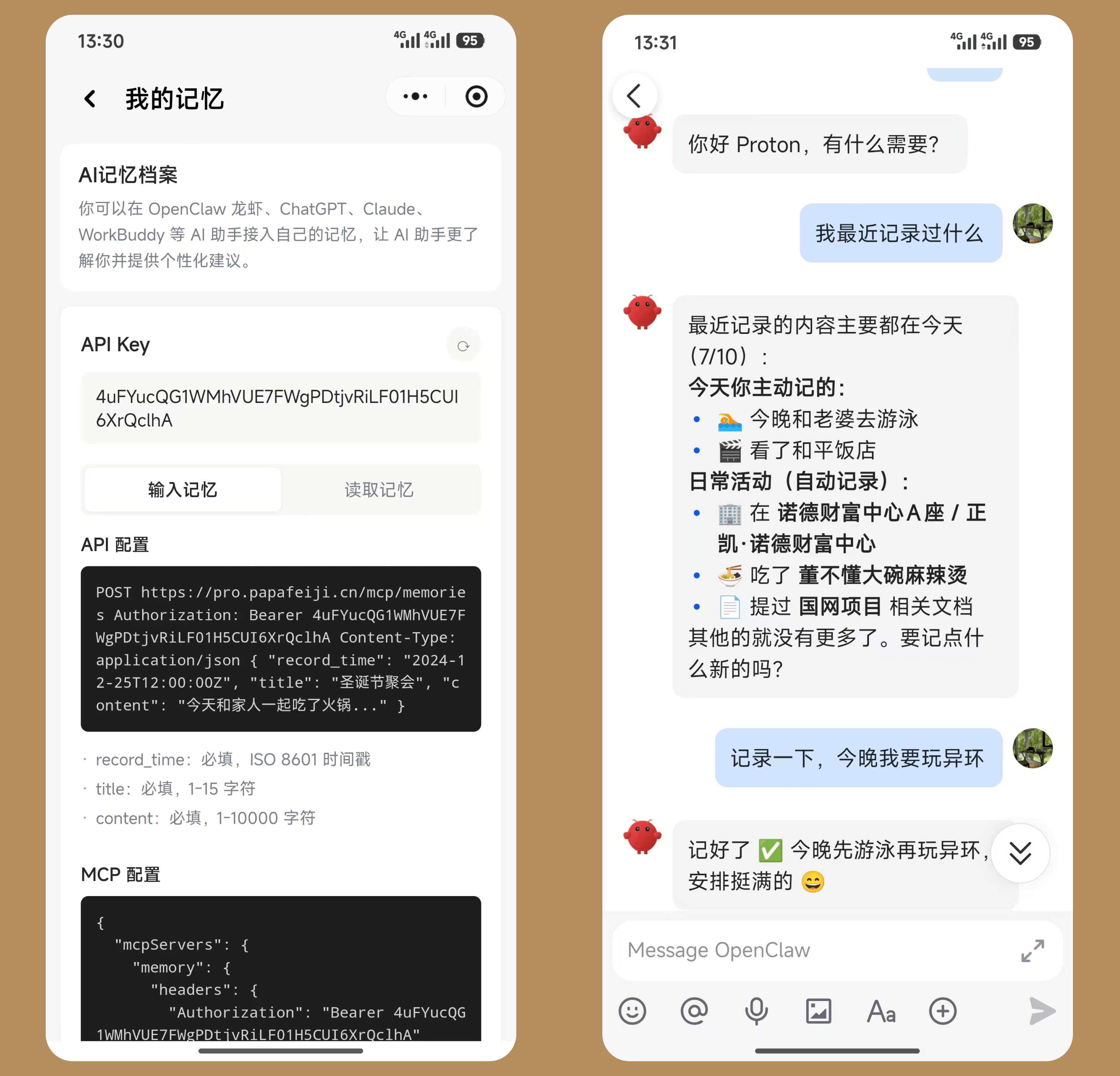
Connect External AI Assistants [Advanced, fully automated recording]: Work memories can be read or written by AI assistants such as OpenClaw, ChatGPT, Claude, and WorkBuddy via MCP/API. Memories generated by using these desktop assistants will be automatically synced to your memory library.
Path: Personal Center → My Memory
- Tap “Generate API Key” to get your dedicated key
- Use the key to read and write your memories and diaries through the API
- Supports the MCP protocol and can be configured in OpenClaw, ChatGPT, Claude, WorkBuddy, and other clients
For detailed integration instructions, visit the “My Memory” page or contact customer service for more information.